Stops
Automatic detection and classification of stops
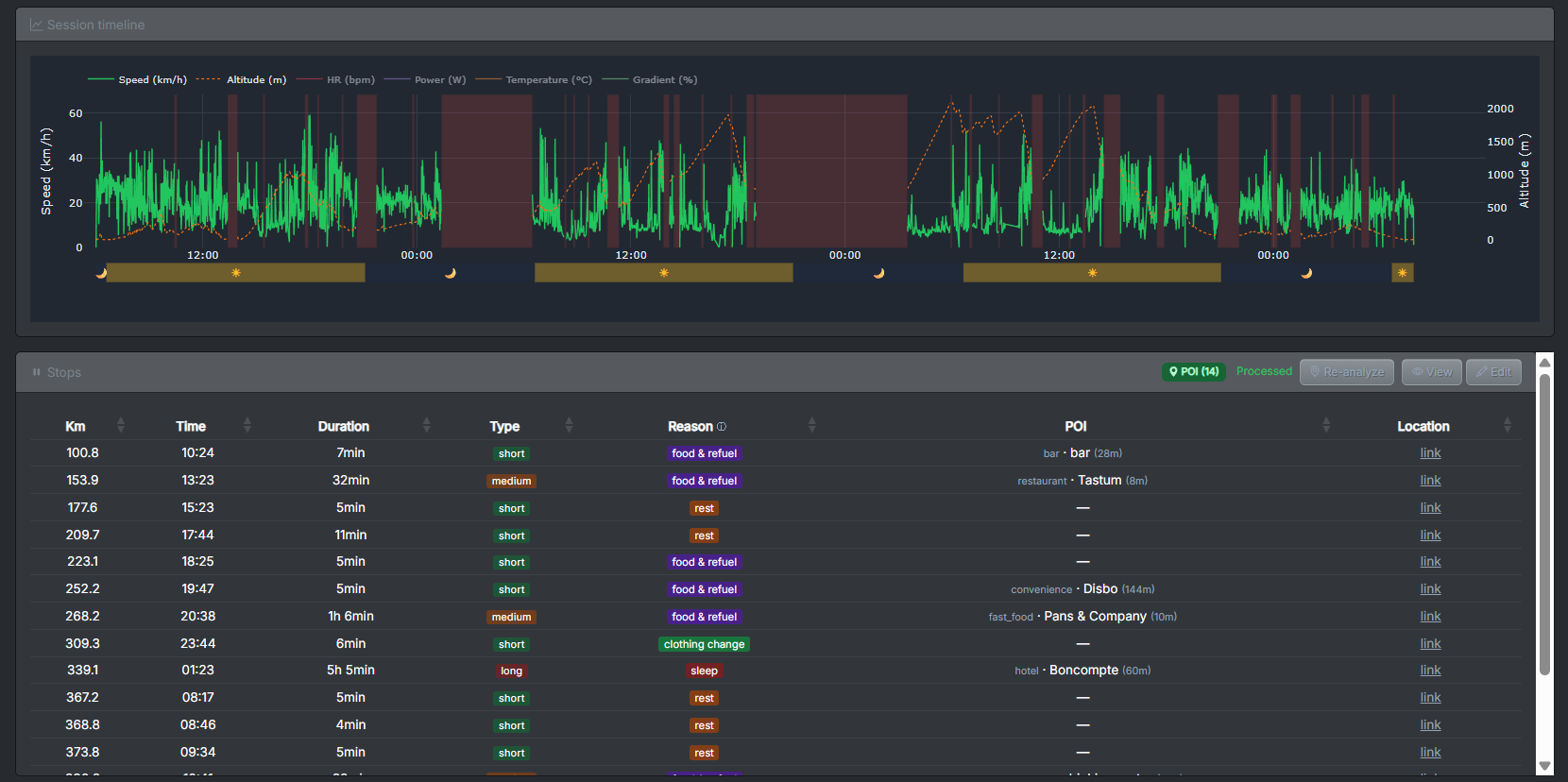
What can you expect?
Automatically detect your stops. Our system identifies meaningful stops (for example, stopping at a traffic light is not counted) and classifies them by duration and purpose: refueling, sleeping, mechanical issues, and/or others. Visualize them on an interactive timeline and locate them on the map.
What’s included?
- Minimum stop duration threshold: The longer the activity you analyze, the longer a stop must be to be considered meaningful. This prevents counting irrelevant stops that would otherwise add noise to the analysis.
- Map location: Each stop is geolocated, helping you understand why you stopped. If the stop is long and at a hotel, it will automatically be classified as sleep.
- Duration-based classification: Discover and edit how many short, medium, and long stops you made.
- Purpose-based classification: Discover and edit why you stopped: refueling, sleeping, resting, mechanical issues, etc.
- Visual timeline: See throughout the entire activity when and why you stopped.